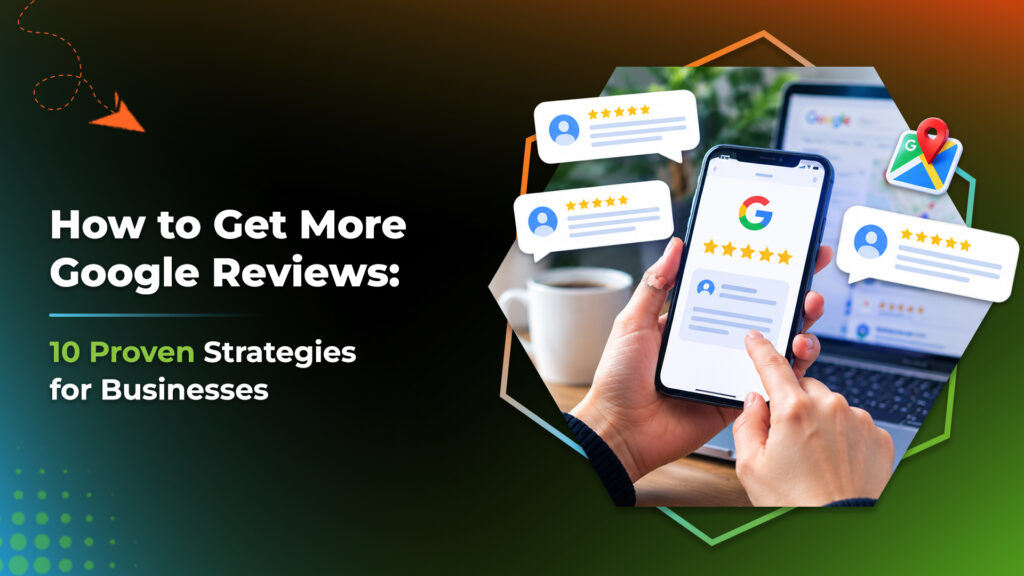
How to get more Google reviews comes down to three habits: ask every customer, make it easy, and follow Google’s rules. Reviews on your Google Business Profile help people trust you, and Google says more reviews and positive ratings can help your local ranking. This guide gives you ten steps, ready-to-use SMS and email wording, and the policy limits to respect.
Share a direct review link or QR code, ask every customer soon after a good experience, and reply to each review. Never offer rewards or only ask happy customers.
How to Get More Google Reviews in 10 Steps
These ways to increase Google reviews are ethical, simple and repeatable. Open each step.
1. Get your Google review link
Google lets you ask customers to visit a link or scan a QR code. Its help page explains how to create both.
Do thisSave the link where your whole team can find it.
2. Ask at the right moment
Ask when the experience is fresh, such as right after a finished job or a good conversation.
Do thisPick one trigger, like “job marked complete”, and use it every time.
3. Ask in person
A short, friendly request often feels more natural than a message.
Do thisUse the in-person wording below.
4. Send an SMS
A text with a direct link is easy to open on a phone.
Do thisKeep it short and name your business.
5. Send an email
Email suits services with longer customer journeys.
Do thisUse a clear subject and one link.
6. Add a QR code
Customers can scan and write a review in a few taps.
Do thisPut it on receipts, counters and invoices.
7. Ask every customer
Google prohibits selectively soliciting positive reviews, so do not filter who gets the request.
Do thisSend the same request to everyone.
Watch forDo not send unhappy customers to a private form instead.
8. Make it easy to be specific
Reviews that mention the service help future customers decide.
Do thisAdd a line such as “feel free to mention what we helped with”.
Watch forDo not write the review for them.
9. Reply to every review
Google recommends replying to all reviews and making each reply count.
Do thisPersonalise it. Mention something specific.
Watch forDo not use replies to advertise deals.
10. Read the feedback
Reviews are free customer feedback collection. Patterns show what to fix.
Do thisReview them monthly and share themes with your team.
How Do You Ask Customers for Google Reviews?
Asking customers for online reviews is easier with a script. Choose a channel and copy the wording, then replace the brackets with your details.
Pick a channel and copy the wording
“Thanks for choosing us today. If you were happy with the service, would you mind leaving a short Google review? I can text you the link now.”
Works best when staff ask every customer, not just the cheerful ones.
Hi [Name], thanks for visiting [Business] today. If you have a minute, we would value your honest feedback on Google: [link]
Send it the same day, from a number customers recognise.
Subject: How was your visit to [Business]?
Hi [Name], thank you for choosing [Business]. Your honest feedback helps other people in [City] decide, and helps us improve. It takes about a minute: [link]. Thank you, [Your name]
In Canada, check whether CASL applies to your messages and that you have consent.
Enjoyed your visit? Scan to share your feedback on Google.
Place it at the counter, on receipts, invoices or a service vehicle. Google says customers can scan a QR code to leave a review.
What is the best time to request a Google review?
There is no official best time, but asking while the experience is fresh works well. These are suggested moments.
| Business type | A good moment to ask (suggested) |
|---|---|
| Home services or trades | Right after the job is finished and the customer is satisfied |
| Clinics and appointments | After the visit, when the follow-up message goes out |
| Restaurants and retail | After the purchase or meal, via receipt or QR code |
| Online or booked services | A day after delivery, once they have used it |
What Are Google’s Review Policies?
Google’s prohibited and restricted content policy and its tips to get more reviews set the limits. Breaking them can get reviews removed, so stay on the safe side.
| Google allows | Google does not allow |
|---|---|
| Asking customers for a review | Offering payment, discounts or free goods or services in exchange |
| Sharing a review link or QR code | Discouraging negative reviews or selectively soliciting positive ones |
| Replying to reviews | Fake engagement, including reviews that are paid for |
| Asking customers who really used your business | Reviews from people with a conflict of interest, such as current or former staff |
A “free coffee for a five-star review” offer breaks the incentive rule, even when the review is honest.
How Should You Respond to Google Reviews?
Replying shows future customers that you listen, and it is part of online reputation management. Google recommends replying to all reviews.
Reply to a positive review
Thank them and mention something specific. Avoid copying the same line each time.
Example“Thank you, [Name]. We are glad the [service] went smoothly. See you next time.”
Reply to a negative review
Google advises protecting the reviewer’s privacy, avoiding personal attacks, apologising when appropriate and replying promptly.
Example“Hi [Name], we are sorry your visit fell short of what you expected. Please call us at [phone] so we can look into it.”
How Do Reviews Fit Into Local SEO?
Reviews are one signal of prominence, alongside your profile, website and listings. Digitalise’s local SEO service covers that wider work. For a local example, see the Mountview Denture Clinic case study, where the site recorded 55% more impressions and 728% more new users. Results differ for every business, and no one can promise rankings.
Are You Ready to Ask?
Tick what you already do.
Your review request checklist
Frequently Asked Questions
How do I get more Google reviews?
Ask every customer soon after a good experience, make it easy with a direct link or QR code, and reply to the reviews you receive. Follow Google’s policies throughout.
How do I create a Google review link?
Google’s help page on getting more reviews explains how to create a link or QR code for your Business Profile, which you can then share with customers.
Can I offer a discount for a Google review?
No. Google prohibits offering payment, discounts, or free goods or services in exchange for posting a review.
Can I only ask happy customers for reviews?
No. Google’s policy says businesses may not selectively solicit positive reviews or discourage negative ones. Ask everyone the same way.
Can I delete a negative Google review?
Not because it is negative. You can reply, and if a review breaks Google’s content policy, you can report it for removal.
Final Thoughts
A steady, honest request process beats any shortcut. Save your link, ask everyone, reply to every review, and let the reviews build over time.